

Minecraft Server
…
Checking server…
A simple and scalable Minecraft server run by a smoll student community at FAST.
Don't have Minecraft yet? The join guide below walks you through it.
Loading players…
We are actively adding more gamemodes as saare log aik hi cheez me interested nahi hote, am I right?
Normal difficulty, no keep inventory but we do have GravesX!
Please don't go exploding everyone's builds
-no matter how ridiculous the odds may seem, within us resides the power to overcome these challenges and achieve something beautiful. That one day, we'll look back at where we started and be amazed by how far we've come.
Bedwars, Skywars and other minigames are on the way.
You'll need to install the Simple Voice Chat plugin to use this! Click here for install tutorial.
The server chat is bridged to our Discord and WhatsApp. Talk to people in-game from your phone, and the other way around.
Really cool stuff. Allows u to put gifs and images to in-game maps easily
Die in the survival world and your items are kept safe in a grave. Come back any time to pick them up, with no risk of losing anything.
Sit on the ground, players, and be able to crawl!
It takes about five minutes (ya phir 2 hours depending on ur setup). But please be patient, it is all worth it
Pick one to see the relevant steps.
Go to tlauncher.org and click the download button for your system (Windows, macOS or Linux). Only download it from the official TLauncher site.
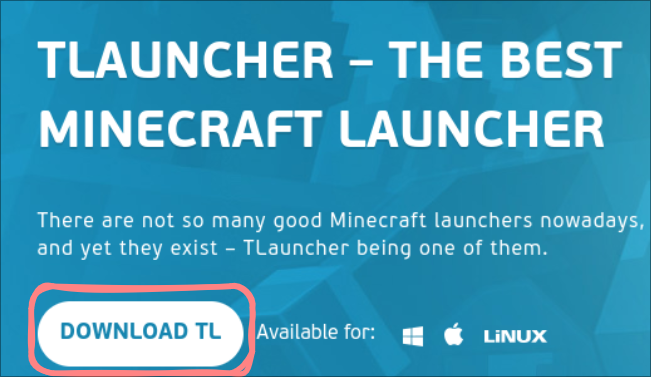
Run the file you downloaded and follow the installer. When TLauncher opens, type any username you like. This is the name other players will see.
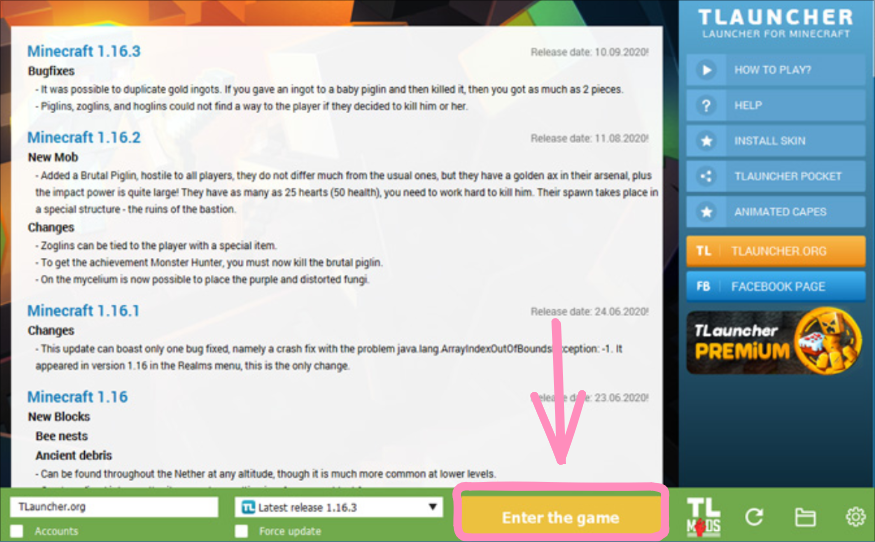
Pick a version from the list next to the green button. Any version from 1.8 up to the latest works on our server. This is also the point where you can install the Simple Voice Chat mod, for which, check out this video.
Click Enter the game. The first time, it downloads the game files, so give it a minute. Minecraft will open when it's done.
Open Minecraft Java Edition with any version from 1.8 up to the latest.
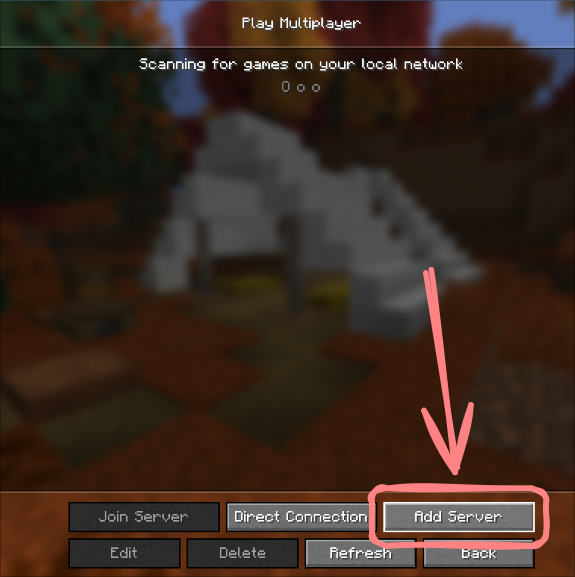
On the main menu, click Multiplayer. If a safety warning appears, continue past it. Then click Add Server at the bottom.
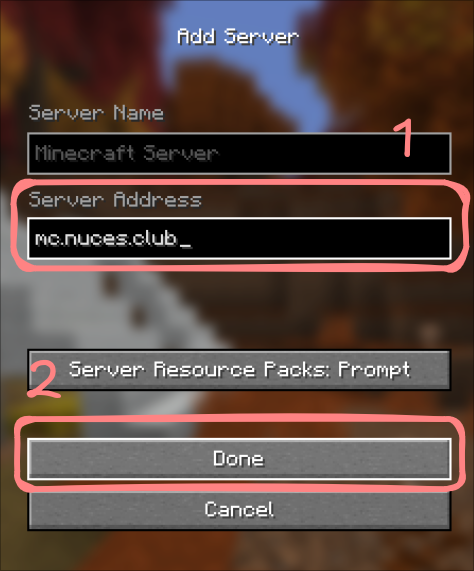
For the server name, type anything you
like. For the server address, type mc.nuces.club
and then click Done.
Select the server in your list and click Join Server. That's it, you're in. Come say hi on Discord or WhatsApp too.
We need active moderation and staff for the scaling of this server. If you are interested to do this, please contact me at mc@alimad.co